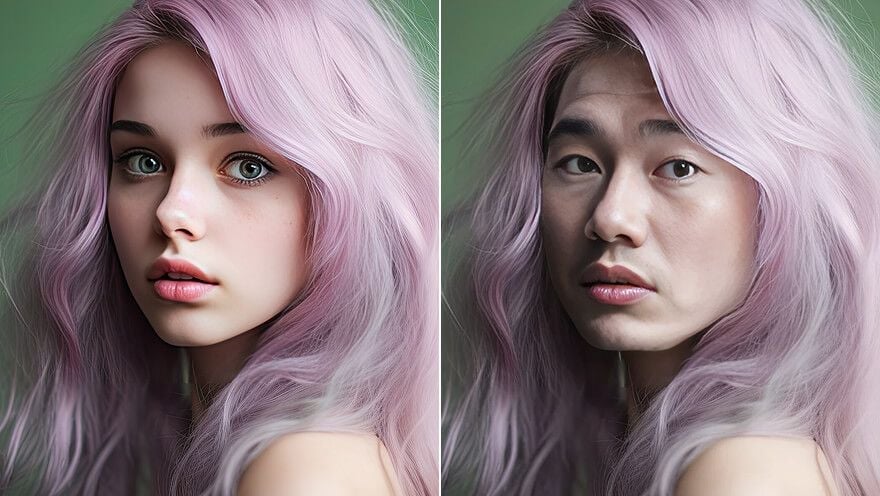
 BeforeAfterExample
Upload a target photo and a face image to start your face swap.
AI Face Swap
Swap faces in any photo online, free. Upload a target photo and a face image, and our AI face swap blends the new face in with realistic skin tone, lighting, and detail — no watermark, no sign-up.
Swap a faceRealistic face swaps that actually look real
This AI face swap matches skin tone, lighting, and angle so the new face blends in naturally instead of looking pasted on.
- Natural skin-tone and lighting matching
- Preserves expression and head angle
- Sharp, high-quality face swap output
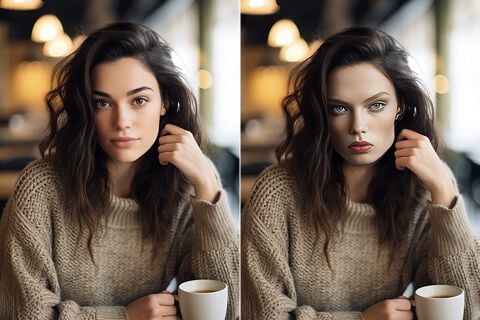 BeforeAfter
Realistic portrait
natural skin tone & lighting
Swap a face into any photo
Drop a face into portraits, group shots, or posters. The AI face swap detects the face and replaces it while keeping the rest of the photo untouched.
- Works with portraits, group photos, and posters
- Keeps the background and everyone else unchanged
- Choose to keep the target hair or the new face's hair
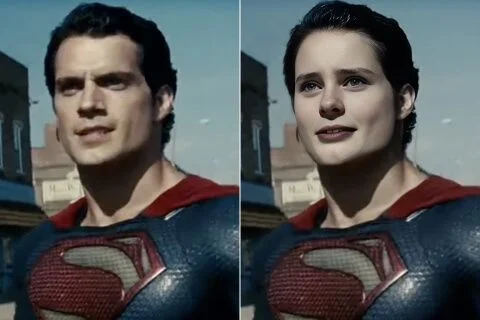 BeforeAfter
Movie character
drop a face into any scene
Photos now, more formats soon
The AI face swap is built for photo face swap today, with dedicated video face swap and GIF face swap tools on the way.
- High-resolution photo face swap online
- Download a clean image with no watermark
- Video and GIF face swap coming next
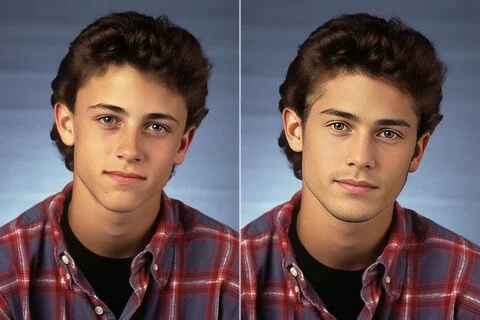 BeforeAfter
Everyday photos
portraits and snapshots
Private and watermark-free
Your uploads are processed securely and your face swap result downloads clean — no watermark, no account required to try.
- No watermark on your face swap result
- Uploads processed securely for your task
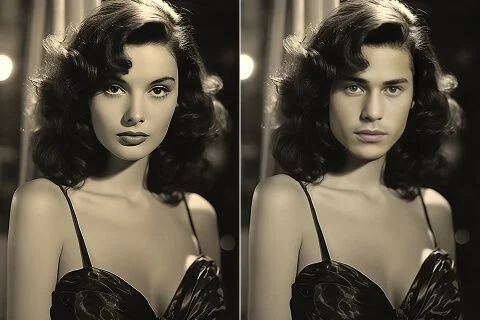 BeforeAfter
Vintage & black-and-white
classic film-style photos
What people use AI Face Swap for
From memes to creative projects, the AI face swap turns any photo into something new in seconds.
Memes & reactions
Swap faces into trending templates and reaction images to make shareable memes with the AI face swap.
Social content
Create scroll-stopping posts by swapping faces into fun scenes, then download a clean, no-watermark image.
Photo editing
Fix a group photo where one face didn't land, or try a new look by swapping faces between shots.
Creative projects & posters
Put your face on a movie-style poster or character art with a realistic AI face swap.
Digital art
Blend faces into illustrations and concept art to explore new ideas quickly.
Just for fun
Swap faces with friends, pets, or celebrities for a quick laugh — free and online.
How to Swap Faces in 3 Steps
The online AI face swap makes it simple: upload two photos, let the AI swap the face, and download your result.
Upload two photos
Add the target photo you want to edit and a clear, front-facing face image to swap in.
AI swaps the face
The AI face swap detects the face and blends the new one in, matching lighting and skin tone.
Download your result
Preview the swap, then download a clean, no-watermark image in seconds.
What Creators Say About AI Face Swap
Creators use this AI face swap for memes, social content, and creative projects that need a fast, realistic face swap.
Jenna Cole
Content Creator
“The face swap looks natural — skin tone and lighting actually match, so my meme edits don't look fake.”
Marcus Rivera
Social Media Manager
“I can swap a face into a template in seconds and download it clean with no watermark. Huge time saver.”
Priya Nair
Designer
“Dropping a face onto a poster mockup used to take Photoshop time. This AI face swap does it in one click.”
Tom Becker
Streamer
“Great for quick reaction images and thumbnails. The swapped face keeps the original expression.”
Aisha Patel
Marketer
“Free to try, no sign-up, and the result is sharp. Exactly what I needed for fast social posts.”
David Park
Hobbyist
“Swapping faces with friends is genuinely fun, and the results are way more realistic than the apps I tried before.”
AI Face Swap FAQ
What is AI face swap?
AI face swap is a tool that automatically replaces a face in one photo with a face from another, using AI to blend it in realistically. It's also called a face swapper or face changer.
How does the AI face swap work?
Upload a target photo and a face image. The AI face swap detects the face in the target photo and blends the new face in, matching lighting, skin tone, and angle for a natural result.
Will the swapped face look realistic?
Yes — the AI face swap matches tone, angle, and lighting for a natural blend. Clear, front-facing face images give the most realistic face swap results.
Is the AI face swap free?
You can try the AI face swap for free and see the required credits before you swap. Larger or repeated face swaps use credits.
Can I face swap online without signing up?
You can start a face swap online and preview the tool without an account. You'll sign in when you're ready to generate and download your result.
Can I face swap videos or GIFs?
Photo face swap is available now. Dedicated video face swap and GIF face swap tools are on the way, so this page focuses on high-quality photo face swap.
Is my data safe with the AI face swap?
Your uploads are processed securely for your generation task and your face swap result downloads with no watermark. Avoid uploading sensitive ID photos.
More from Reve 2.0
Swap faces in seconds — free to try
Upload two photos and let the AI Face Swap do the rest. Realistic, no watermark, no sign-up to start.